Changing the language
Material for MkDocs supports internationalization (i18n) and provides translations for template variables and labels in 60+ languages. Additionally, the site search can be configured to use a language-specific stemmer, if available.
Configuration
Site language
You can set the site language in mkdocs.yml with:
theme:
  language: en # (1)
The following languages are supported:
Note that some languages will produce unreadable anchor links due to the way the default slug function works. Consider using a Unicode-aware slug function.
Site language selector
none
If your documentation is available in multiple languages, a language selector pointing to those languages can be added to the header. Alternate languages can be defined via mkdocs.yml.
extra:
  alternate:
    - name: English
      link: /en/ # (1)
      lang: en
    - name: Deutsch
      link: /de/
      lang: de
The following properties are available for each alternate language:
: none required This value of this property is used inside the language selector as the name of the language and must be set to a non-empty string.
: none required This property must be set to an absolute link, which might also point to another domain or subdomain not necessarily generated with MkDocs.
: none required This property must contain an ISO 639-1 language code and is used for the hreflang attribute of the link, improving discoverability via search engines.
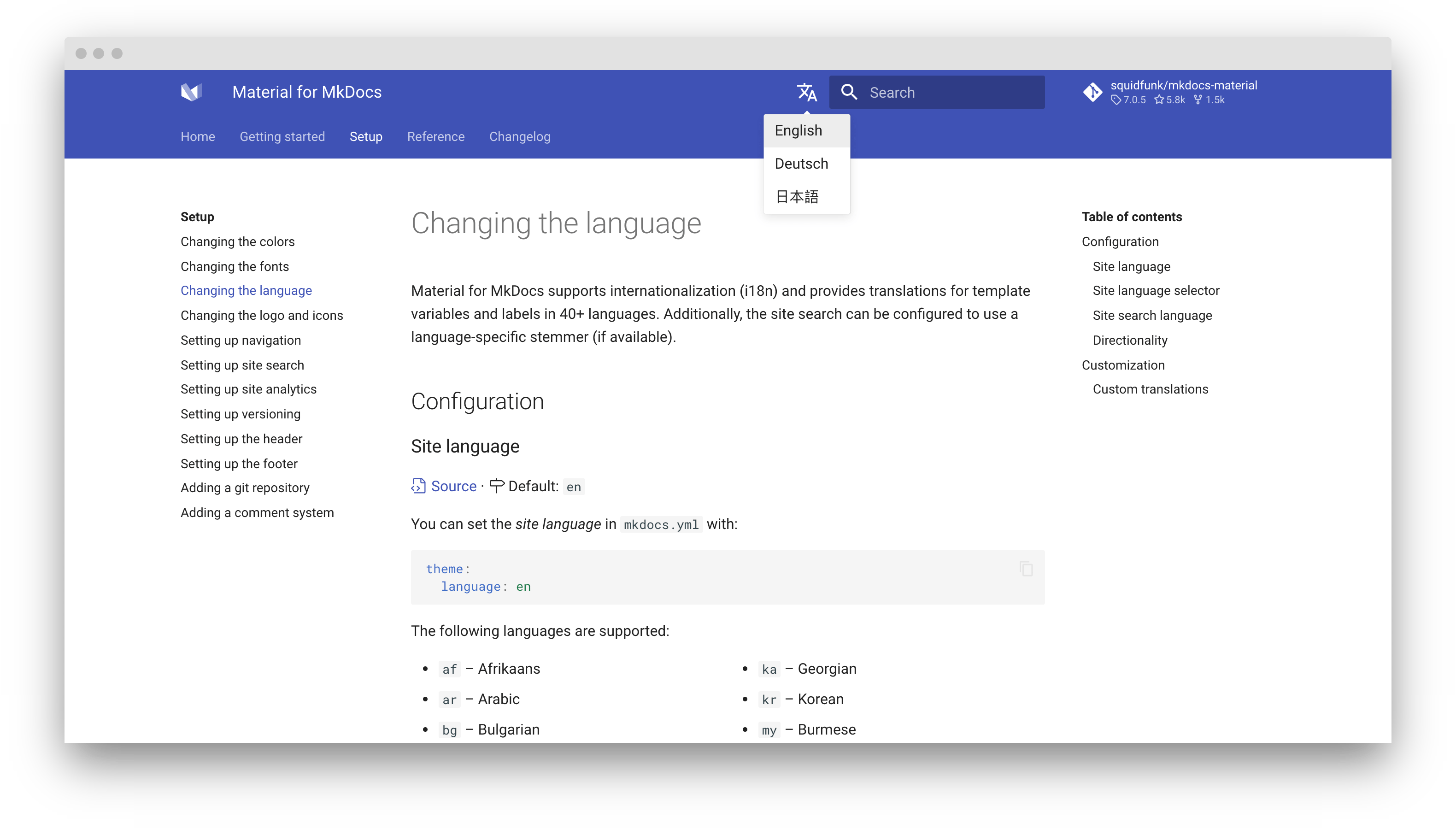
Stay on page
experimental
When switching between languages, e.g., if language en and de contain a page with the same path name, the user will stay on the current page:
docs.example.com/en/     -> docs.example.com/de/
docs.example.com/en/foo/ -> docs.example.com/de/foo/
docs.example.com/en/bar/ -> docs.example.com/de/bar/
No configuration is necessary.
Directionality
computed
While many languages are read ltr (left-to-right), Material for MkDocs also supports rtl (right-to-left) directionality which is deduced from the selected language, but can also be set with:
theme:
  direction: ltr
Click on a tile to change the directionality:
Customization
Custom translations
If you want to customize some of the translations for a language, just follow the guide on theme extension and create a new partial in the overrides folder. Then, import the translations of the language as a fallback and only adjust the ones you want to override:
<!-- Import translations for language and fallback -->
{% import "partials/languages/de.html" as language %}
{% import "partials/languages/en.html" as fallback %} <!-- (1) -->

<!-- Define custom translations -->
{% macro override(key) %}{{ {
  "source.file.date.created": "Erstellt am", <!-- (2) -->
  "source.file.date.updated": "Aktualisiert am"
}[key] }}{% endmacro %}

<!-- Re-export translations -->
{% macro t(key) %}{{
  override(key) or language.t(key) or fallback.t(key)
}}{% endmacro %}theme:
language: custom